
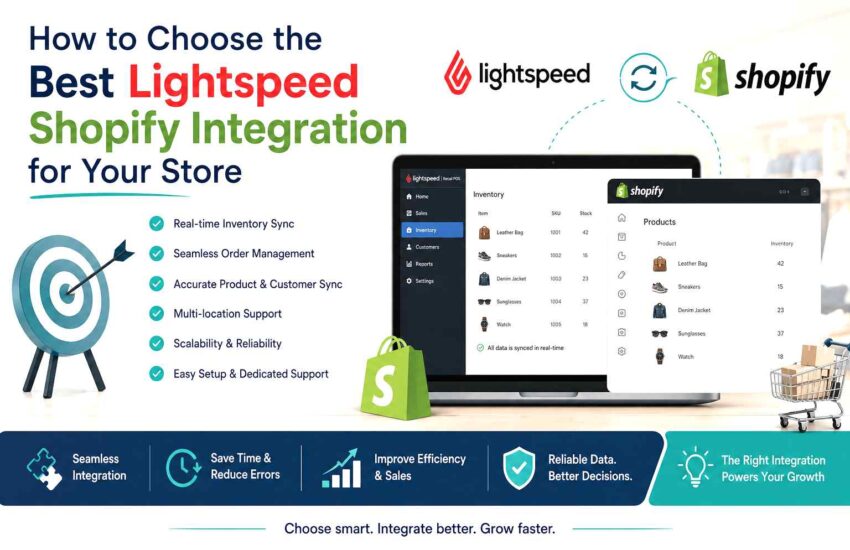
How to Choose the Best Lightspeed Shopify Integration for Your Store
Choosing the best Lightspeed Shopify integration depends on how your retail business manages products, inventory, orders, customers, and multiple sales channels. The right integration approach can reduce manual work, improve inventory accuracy, and help keep your in-store and online operations aligned.
When evaluating a Shopify Lightspeed integration, look beyond whether the two platforms can connect. The more important question is how accurately and consistently the integration keeps products, inventory, orders, customers, and other essential retail data synchronized between Shopify and Lightspeed.
Finding the best Lightspeed Shopify integration for your business isn’t a one-size-fits-all decision. The right answer depends on your order volume, the complexity of your catalog, how many locations you run, and how much your team wants to manage day-to-day. This guide walks through the three main paths retailers take, along with a framework of questions to ask any vendor before you commit.
Why Lightspeed and Shopify Don’t Sync on Their Own
Lightspeed is built for in-person retail: checkout, inventory counts, staff management, loyalty programs. Shopify is built for online storefronts: carts, payment processing, marketing tools, and a massive app ecosystem. Both are excellent at what they do, but they were designed as separate systems, not siblings.
A Lightspeed POS and Shopify integration connects your in-store retail operations with your online store so that important data can move between the two systems. Depending on the integration method, this can include products, inventory, orders, customers, pricing, and other retail data. The key difference between integration options is how reliably and how often this information is synchronized, how exceptions are handled, and how much manual work the retailer must manage.
Without an integration layer, retailers typically run into the same pain points:
- Inventory counts drift out of sync, leading to overselling online or stockouts in-store
- Orders have to be manually re-entered between platforms
- Pricing and promotions updated in one system don’t reflect in the other
- Customer and loyalty data lives in two disconnected silos
- Reporting requires stitching together exports from both platforms by hand
An integration tool closes that gap. The question is which type of tool makes sense for your operation.
The Three Categories of Lightspeed-to-Shopify Integration Tools
1. Native Lightspeed Integration
Lightspeed offers its own built-in connection to Shopify for certain plans and product lines. A native integration is typically the fastest to set up because it’s designed and maintained by Lightspeed itself, with fewer moving parts and less configuration required.
Strengths:
- Tight compatibility since both sides are managed by the same vendor
- Simpler setup with less technical overhead
- Support comes from a single vendor, which can simplify troubleshooting
Limitations:
- Feature depth is often narrower than dedicated third-party tools – sync frequency, field mapping, and customization options tend to be more limited
- May not support advanced use cases like multi-location inventory routing, bundle/kit products, or complex tax rules
- Less flexibility if your business grows into a more complex catalog or order workflow
Native integration tends to be the right fit for smaller retailers with straightforward catalogs and a single sales channel on each side.
2. Shopify App Store Third-Party Integration Tools
The Shopify App Store hosts a range of apps built specifically to connect Shopify with Lightspeed. These are developed by independent software companies rather than Lightspeed or Shopify themselves.
Strengths:
- Generally more configurable – real-time or scheduled sync options, custom field mapping, multi-location support
- Often built with retailer-specific features like automated collections, bundle handling, and order routing rules
- Competitive pricing tiers that scale with order volume, so smaller merchants aren’t paying enterprise rates
- Reviews and ratings are publicly visible, so you can vet a tool’s track record before installing it
Limitations:
- Quality varies significantly between apps – due diligence matters
- You’re relying on a third party’s roadmap and support responsiveness, not Lightspeed’s or Shopify’s
- Some apps specialize in one direction of sync (e.g., inventory only) and require stacking multiple tools for full coverage
This category is often the sweet spot for growing retailers who need more flexibility than a native integration offers but don’t yet need a fully custom build.
3. Custom Middleware
For retailers with complex operations – multiple warehouses, ERP systems, custom pricing logic, or high order volumes – custom middleware built specifically for their stack can be worth the investment. This typically means working with a developer or agency to build a purpose-made connection using Lightspeed’s and Shopify’s APIs.
Strengths:
- Fully tailored to your exact workflows, no compromises for generic use cases
- Can integrate additional systems beyond just Lightspeed and Shopify (accounting software, shipping platforms, ERPs)
- Scales with high-volume or high-complexity businesses in ways off-the-shelf tools sometimes can’t
Limitations:
- Highest upfront cost and longest implementation timeline
- Requires ongoing maintenance as Lightspeed and Shopify update their APIs
- You’re dependent on a developer or agency relationship rather than a self-serve product
Custom middleware makes the most sense once your business has outgrown what off-the-shelf tools can reliably handle.
Lightspeed-to-Shopify Integration Cost: What to Expect
Lightspeed Shopify integration cost varies widely depending on which category you choose:
- Native integration: Often included with certain Lightspeed plans or available for a modest add-on fee, since it’s part of the core product ecosystem.
- Shopify App Store apps: Usually priced on a monthly subscription tiered by order volume, SKU count, or number of locations – ranging from budget-friendly starter tiers to higher-cost plans for high-volume merchants. Many offer free trials so you can test sync reliability before paying.
- Custom middleware: Priced as a project (design, build, and testing) plus ongoing maintenance, since it involves developer time rather than a flat subscription. This is a meaningfully larger investment but reflects the bespoke nature of the build.
When budgeting, don’t just look at the sticker price. Factor in the cost of staff time spent on manual reconciliation if you go without a proper integration – for many retailers, that hidden cost outweighs the subscription fee of a well-built tool.
If you’re planning your integration budget, understanding the complete cost picture is essential. Beyond software subscription fees, retailers should also consider implementation effort, product mapping, staff training, ongoing support, and future scalability. Our detailed guide, Lightspeed Shopify Integration Cost (2026): Pricing, Options & What Retailers Should Expect, explains the different pricing models, hidden operational costs, and how to evaluate the total cost of ownership before selecting an integration solution.
What Lightspeed-Shopify Integration Reviews Actually Tell You
Lightspeed Shopify integration reviews – whether on the Shopify App Store, G2, Capterra, or elsewhere – are one of the most useful diligence tools available, but only if you know what to look for.
- Read recent reviews first. Sync tools depend heavily on API compatibility, and both Lightspeed and Shopify update their platforms regularly. A glowing review from two years ago may not reflect how the tool performs today.
- Look for patterns, not outliers. One bad review about a support delay isn’t a dealbreaker. Repeated complaints about sync failures, double-counted inventory, or slow support response times are worth taking seriously.
- Check how the vendor responds to negative reviews. A vendor that engages constructively with critical feedback is a good signal for how they’ll handle your issues down the line.
- Weigh review volume against your business size. A tool with hundreds of reviews from small single-location shops may not reflect how it performs for a multi-location retailer with a large catalog, and vice versa.
Reviews are a starting point, not a substitute for testing the tool against your own data.
8 Questions to Ask Any Lightspeed-Shopify Integration Vendor
Whichever category you’re evaluating – native, third-party app, or custom middleware – bring this list to every vendor conversation.
Real-time is used loosely in this space. Ask whether sync happens instantly, on a scheduled interval, or only when triggered manually – and what that means for inventory accuracy during high-traffic periods.
Every integration will fail occasionally due to API downtime or rate limits. Ask how the tool detects failures, whether it retries automatically, and how you’ll be notified if something breaks.
If you have more than one store or warehouse, ask specifically how stock is allocated and routed between locations – this is where many generic tools fall short.
Get clarity on whether pricing is based on order volume, SKU count, number of locations, or sync frequency, and what happens if you exceed your current tier mid-cycle.
Ask for actual uptime statistics or references, not just a general assurance. A vendor confident in their reliability should be willing to share this.
Complex catalogs are where sync tools most often break down. Ask for specifics on how the tool maps variants and bundled products between systems.
Ask about response times, available channels (chat, email, phone), and whether support is included or a paid add-on – especially important during initial setup.
Ask how easy it is to export your data and disconnect the integration if your needs change. Vendors who make offboarding difficult are a red flag.
Choosing the Right Fit
There’s no single best Lightspeed Shopify integration for every retailer – the right choice depends on where your business is today and where it’s headed.
- If you run a single location with a simple catalog, a native integration may cover everything you need with the least setup effort.
- If you’re growing, juggling multiple locations, or need more control over sync behavior, a Shopify App Store third-party tool likely offers the best balance of flexibility and cost.
- If your operation is complex – multiple systems, high order volume, custom workflows – custom middleware is worth the investment to get an integration that truly fits.
Whichever path you take, use the eight questions above as your baseline for any vendor conversation, and weigh reviews and cost against your actual order volume and catalog complexity rather than the vendor’s marketing claims. A well-matched integration should save your team hours every week and give you a single, reliable source of truth across your in-store and online sales.

