
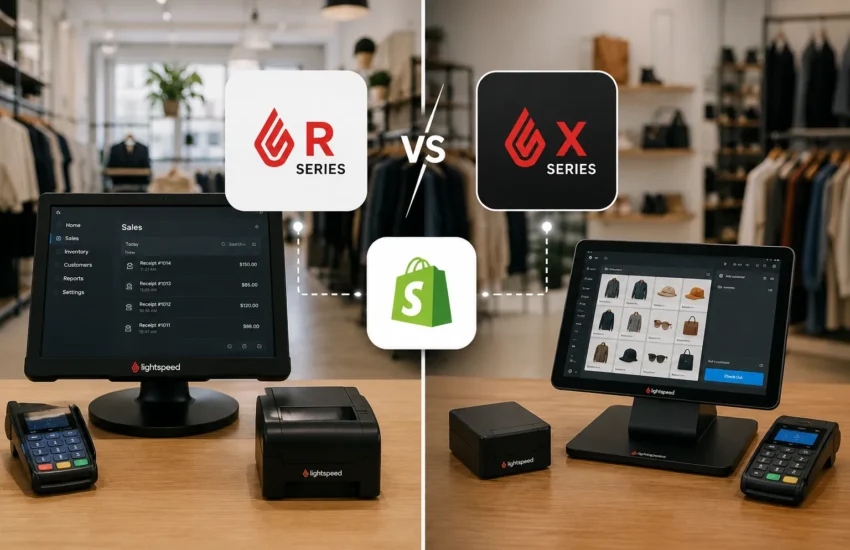
If you’re a retailer running Lightspeed POS and considering a Shopify integration – or troubleshooting one that isn’t working correctly – one of the most important questions you need to answer first is deceptively simple: which version of Lightspeed are you actually running?
Lightspeed has two distinct retail POS platforms: Lightspeed R-Series and X-Series. They look similar on the surface. They share a brand name. But under the hood, they are fundamentally different systems with different architectures, different APIs, and different integration behaviors with Shopify.
Choosing the wrong integration tool – or assuming your solution works with both when it only supports one – is one of the most common and costly mistakes independent retailers make when setting up a Lightspeed–Shopify connection.
Beyond compatibility, retailers should also evaluate the total cost of implementing and maintaining an integration solution. Subscription fees are only one part of the investment – factors such as implementation effort, product mapping, inventory synchronization, ongoing support, and future scalability all contribute to the overall cost of ownership. If you’re planning your budget, our guide on Lightspeed Shopify Integration Cost (2026): Pricing, Options & What Retailers Should Expect explains the pricing models, hidden costs, and key considerations before selecting an integration solution.
This article breaks down what R-Series and X-Series actually are, how they differ from an integration standpoint, and what that means practically for your Shopify store.
A Brief History: How Lightspeed Ended Up With Two Platforms
To understand why these two versions exist, a little context helps.
Lightspeed R-Series is Lightspeed’s original cloud-based retail POS platform. It was built in-house and has been the foundation of Lightspeed’s retail product for over a decade. R-Series is deeply feature-rich – particularly around inventory management, purchase orders, and multi-location retail operations.
Lightspeed X-Series is the platform formerly known as Vend. Vend was a highly regarded, independently developed cloud POS built in New Zealand that gained a strong following among independent retailers globally – particularly in the UK, Australia, New Zealand, and parts of North America. In 2021, Lightspeed acquired Vend and rebranded it as Lightspeed X-Series, integrating it into the Lightspeed product family.
Both platforms are actively maintained and sold under the Lightspeed brand. But they remain distinct products. If you were a Vend customer before 2021, you are now on Lightspeed X-Series. If you signed up directly with Lightspeed for their retail POS, you are most likely on R-Series – though your sales representative should confirm this.
How to Tell Which Version You’re Running
Before reading further, confirm which platform you’re on:
You’re on Lightspeed R-Series if:
- Your POS login URL contains lightspeedapp.com or ls.retail
- You signed up for “Lightspeed Retail” directly through Lightspeed
- Your back office interface shows modules like Purchase Orders, Vendor Management, and Serialized Inventory in a layout native to Lightspeed
You’re on Lightspeed X-Series if:
- Your POS login URL contains vendhq.com or x-series
- You were previously a Vend customer before Lightspeed’s acquisition
- Your back office has the visual layout and workflow familiar to Vend users, even if it now carries Lightspeed branding
If you’re still unsure, check your original signup confirmation email or contact Lightspeed support and ask them directly: “Am I on R-Series or X-Series?”
The Core Difference: Separate APIs
This is the technical reality that drives everything else in this article.
Lightspeed R-Series and X-Series expose completely different APIs to third-party tools. An API (Application Programming Interface) is the channel through which integration middleware communicates with each platform – reading inventory data, receiving sale notifications, pushing product updates, and so on.
Because the APIs are different, an integration tool built to connect with R-Series cannot simply plug into X-Series without significant re-engineering – and vice versa. They are not interchangeable.
This has a direct practical consequence: not all Lightspeed – Shopify integration solutions support both versions. Many tools were built specifically for one platform. Some have added support for the other over time. Some claim compatibility with “Lightspeed” without specifying which version, which creates confusion – and occasionally, failed integrations.
When evaluating any integration solution, your first question should always be: “Do you explicitly support Lightspeed R-Series, X-Series, or both – and can you show me documentation confirming this?”
R-Series and Shopify Integration: What to Know
Strengths
Lightspeed R-Series has been in the market longer, and the integration ecosystem around it reflects that maturity. More third-party integration tools have been built primarily for R-Series, meaning you have a wider selection of middleware options to evaluate.
R-Series also has a relatively well-documented API with strong support for the data types most critical to Shopify integration: product data, inventory levels, sales transactions, and customer records. When implemented correctly with a capable middleware layer, R-Series–Shopify integration can achieve reliable near-real-time inventory sync across all core product types.
R-Series is also particularly strong for retailers with complex inventory needs – multiple locations, serialized inventory, purchase order workflows, and detailed vendor management. If those features are central to your operations, R-Series likely gives you more native depth on the POS side.
Considerations
R-Series has a more complex data model than X-Series in some areas – particularly around how it handles product matrices (the way it structures products with multiple variants). This complexity means that variant mapping between R-Series and Shopify requires careful configuration. A product matrix in R-Series doesn’t always translate cleanly to Shopify’s variant structure without explicit mapping rules in your middleware.
Additionally, R-Series has undergone significant platform evolution over the years, which means some older integration tools may have been built against earlier API versions. Always confirm that your integration solution is using the current R-Series API, not a legacy version.
X-Series and Shopify Integration: What to Know
Strengths
X-Series (formerly Vend) was built with a strong emphasis on simplicity, speed, and third-party connectivity. Its API is generally considered clean and well-structured, with good documentation and consistent behavior. Retailers who migrated from Vend often find that the integration tools built for X-Series are straightforward to configure.
X-Series also has a loyal and vocal user community – particularly in the UK, Australia, and New Zealand – which means there’s a reasonable body of real-world experience with X-Series–Shopify integration to draw on when troubleshooting.
For retailers with straightforward product catalogs and moderate transaction volumes, X-Series tends to integrate with Shopify cleanly when the right tool is in place.
Considerations
Because X-Series entered the Lightspeed ecosystem through acquisition rather than being built by Lightspeed from the ground up, some aspects of its integration with broader Lightspeed features are still evolving. If you’re using X-Series and relying on features that were added post-acquisition, confirm that your integration tool accounts for those features specifically.
The X-Series user base, while substantial, is smaller than R-Series globally – which means the integration tool ecosystem is somewhat narrower. Fewer middleware options exist, and some of the tools that claim X-Series support have shallower implementations than their R-Series equivalents.
Head-to-Head: R-Series vs X-Series for Shopify Integration
| Factor | R-Series | X-Series |
| API maturity | Well-established, widely documented | Clean and well-structured, good documentation |
| Integration tool availability | Wider selection of third-party options | Narrower selection; confirm X-Series support explicitly |
| Variant/matrix handling | Complex; requires careful middleware configuration | Generally simpler product structure |
| Multi-location support | Strong native multi-location features | Multi-location supported; confirm with integration tool |
| Sync reliability | Reliable when configured correctly | Reliable when using X-Series-native tools |
| User community | Large global community | Strong in UK, ANZ, parts of North America |
| Shopify native channel | Available | Available |
| Recommended for | Complex inventory, multi-location, high SKU count | Simpler operations, clean catalog, moderate volume |
The Integration Tool Question: What to Ask Before You Buy
Whether you’re on R-Series or X-Series, the questions you should ask any integration vendor are the same – but the answers matter differently depending on your platform.
1. Which Lightspeed version does your tool explicitly support? Accept nothing vague. You want to hear “R-Series” or “X-Series” by name – ideally with a link to documentation confirming it.
2. Are you using the current API version for my Lightspeed platform? APIs evolve. An integration built on an older API version may work partially but miss functionality added in recent updates.
3. How do you handle product variants and SKU mapping for my specific version? R-Series matrix products and X-Series variants behave differently. Your integration tool should have a specific, articulate answer for your version – not a generic response.
4. What does your sync log look like – can I see what’s syncing and what isn’t? Visibility into sync activity is non-negotiable. If a tool can’t show you what it’s doing, you can’t diagnose problems when they occur.
5. Do you have existing customers running my exact setup – Lightspeed R-Series (or X-Series) with Shopify? Ask for references or case studies. A tool with real-world deployments on your specific version will have worked through edge cases that a tool with theoretical support hasn’t.
What If You’re Considering Switching Versions?
Occasionally, retailers ask whether they should switch from X-Series to R-Series (or vice versa) specifically to improve their Shopify integration options.
In most cases, the answer is no – at least not for integration reasons alone. Switching POS platforms is a significant operational undertaking: staff retraining, data migration, workflow changes, and potential disruption to your in-store operations. The integration tool ecosystem difference between R-Series and X-Series is real but not large enough to justify a platform migration on its own.
If you’re unhappy with your integration options on your current version, the more practical path is to work with an integration specialist who has deep experience with your specific platform – rather than uprooting your POS infrastructure.
The exception: if you’re in the early stages of your Lightspeed decision and haven’t yet fully committed to one version, it’s worth factoring integration tool availability into that choice alongside your operational requirements.
The Bottom Line
R-Series and X-Series are both capable platforms that can integrate reliably with Shopify – when the right middleware is in place and configured correctly for your specific version.
The critical discipline is clarity: know which platform you’re on, confirm that your integration tool explicitly supports it, and don’t accept vague claims of “Lightspeed compatibility” without drilling into the specifics.
The retailers who run into the most integration problems are typically those who assumed compatibility rather than verifying it – or who chose a tool built primarily for one version while running the other.
Get the version question right first. Everything else in your integration setup becomes more tractable from there.
Need help determining the right integration approach for your specific Lightspeed setup? Talk to Retail Matchmaker – we work with both R-Series and X-Series retailers and can help you identify the right solution for your catalog, volume, and workflow. No obligation.
Retail Matchmaker is an eCommerce and integration advisory headquartered in Wilmington, Delaware, specializing in POS–eCommerce integration and omnichannel enablement for independent retailers across the US and Canada.
Frequently Asked Questions
Lightspeed R-Series is Lightspeed’s original cloud-based retail POS platform, built in-house over more than a decade. X-Series is the platform formerly known as Vend, which Lightspeed acquired in 2021 and rebranded. Both are actively maintained under the Lightspeed brand but run on different architectures with different APIs.
Check your POS login URL. If it contains lightspeedapp.com or ls.retail, you’re on R-Series. If it contains vendhq.com or x-series, you’re on X-Series. If you’re unsure, contact Lightspeed support and ask them to confirm your platform version.
Some integration tools support both versions, but many were built primarily for one or the other. Never assume compatibility – always ask your integration vendor to confirm explicitly which Lightspeed version their tool supports, and request documentation to back it up.
Both integrate reliably with Shopify when the right middleware is in place. R-Series has a wider selection of third-party integration tools due to its longer market presence. X-Series has a cleaner API structure that can be easier to work with for simpler retail setups. The better version for Shopify integration is the one you’re already on – switching platforms solely for integration reasons is rarely justified.
Lightspeed offers Shopify channel integrations, but availability and feature depth can differ between R-Series and X-Series. Always check the current Lightspeed documentation for your specific version, as this evolves as Lightspeed continues to develop both platforms.
In most cases, no. Switching POS platforms is a major operational undertaking and the integration tool ecosystem difference between the two versions doesn’t justify the disruption. The better path is to work with an integration specialist experienced in your specific version rather than migrating your entire POS infrastructure.

